An easy way to create a slideshow
With Ashampoo Slideshow Studio HD 4, anybody can create a slideshow in no time, and with little video editing skills. It's the perfect tool for beginners!
Choose your favorite pictures
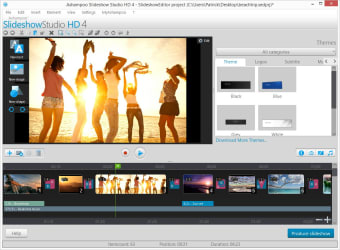
To create a slideshow in 5 minutes, you only need to drag your photos into Ashampoo Slideshow Studio HD 4. Then, you can choose a theme that will edit the images automatically.
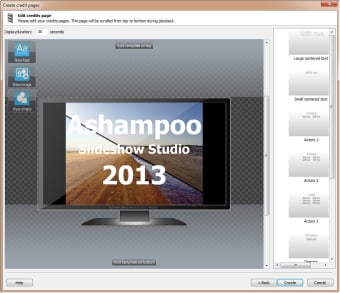
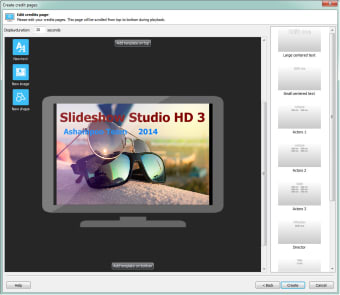
If you want to personalize the slideshow, the creative options are limited, but you'll still be able to import images, add text or captions to pictures, as well as add background music, transition effects, a generic start and end display, and on version 3 and above, the ability to record your voice and add it to your project.
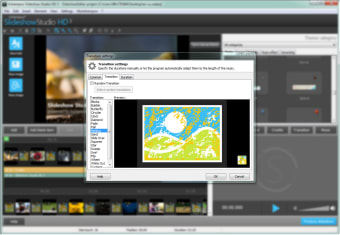
By default, Ashampoo Slideshow Studio HD 4 inserts random effects between each image, but thanks to the many options available, you can edit them and choose your preferred effects.
The final slideshow might not be spectacular, but it'll definitely be eye-catching. You can then export or copy the file onto a CD and even choose between a small file or an HD movie. It supports all the important formats: MPEG, MPEG 2 and MPEG-4; AVI for YouTube; or DVD or Blu-ray to play the slideshow on a TV screen. With Ashampoo Slideshow Studio HD 4, you can also create a file that you can export to Facebook.
An intuitive interface
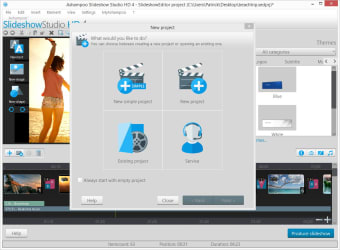
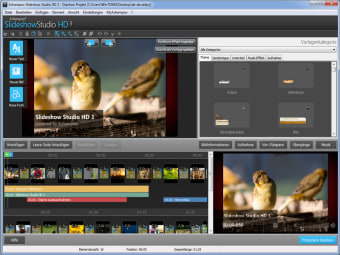
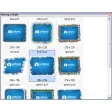
The program is easy to use, like all of Ashampoo's software. The settings of the available effects, like duration and repetition, are very intuitive, and editing is very easy thanks to the timeline that lets you preview your project in a glance and check the different elements that you've added to your slideshow before the final export.
Editing for beginners
The only complaints we have are regarding the quality of the theme designs, logos, subtitles and music effects, which don't fulfill expectations. Many look somewhat kitsch and we don't think they're as nice as they could be.
In summary, we recommend Ashampoo Slideshow Studio HD 4 for beginners who are looking for an easy program to help them create a video slideshow with background music.
Changes
Improved encoding of slideshow projects Enhanced hardware compatibility Several minor bugfixes